Phone system for nonprofit organizations that answers every donor and volunteer
Youvoip is a cloud phone system for US nonprofits with 2 to 50 staff. It gives your organization one main number that rings the program staff, development director and executive director on their desk phones and cell phones, offers callers a short menu for donors, volunteers and clients, sends voicemail to email with a transcript, and texts from the organization number, from $12.50 per user per month billed yearly. There is no contract, you keep your current number, and you pay only for people who actually take calls, not for every board member or volunteer.
Why nonprofit phones go unanswered
Most small nonprofits run the phone on whoever happens to be in the office. The executive director's cell is on the website, the development director's voicemail is full, and a volunteer coordinator takes calls on a personal phone from the parking lot of a food drive. A donor who calls to ask about a gift receipt, or a volunteer who wants a Saturday shift, rarely tries twice. Missed calls here are lost gifts and empty shifts, not just a bad impression.
- Donor and major gift calls ring the development team first, then the executive director
- Volunteer and client calls go to a separate option so they do not tie up the fundraising line
- Everyone answers on a company number from their own phone, so personal cells stay private
- When staff turn over, the number, the menu and the voicemail history stay with the organization
A short menu for donors, volunteers, clients and the office
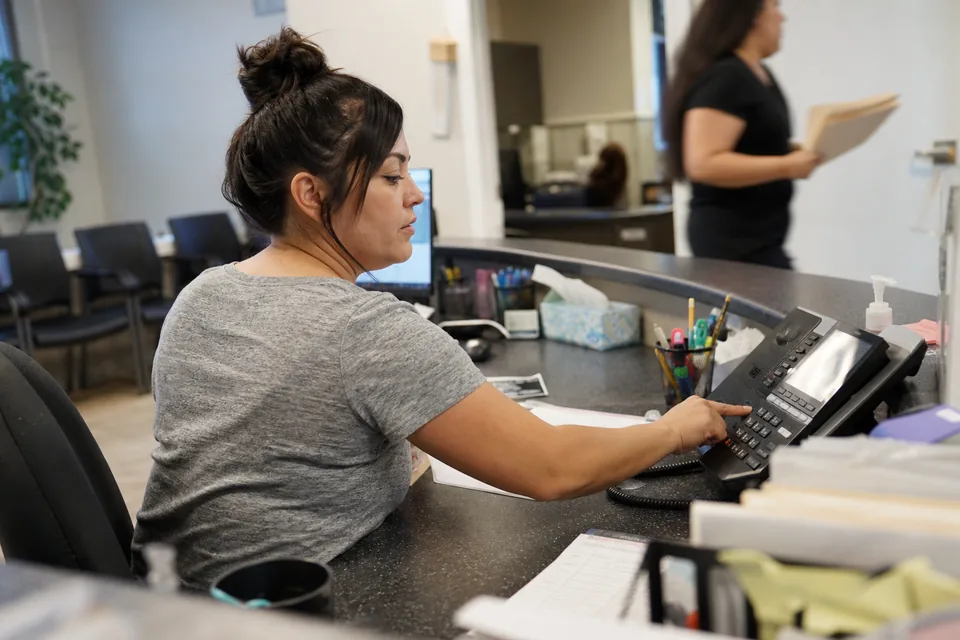
Most nonprofits need four paths, and the menu should take under 15 seconds to hear. The auto attendant greets the caller and call routing sends each choice to the right people. Donors reach the development team, volunteers reach the volunteer coordinator, program clients reach program staff, and everything else goes to the front desk or the executive director. Each path follows your office hours and the US holiday schedule, and after hours the menu plays your hours and the website address, then takes a voicemail that arrives in email with a transcript. Teams with a busy line, such as a food bank during distribution week, can put callers in a call queue with a position announcement on Business.
Example call flow for a ten person community nonprofit
Riverbend Community Pantry, main line +1 (555) 010-0187
- Mon to Fri 9:00 to 17:00, Saturday distribution 8:00 to 12:00, Eastern Time. Holiday schedule: US holidays
- Greeting
- "Thank you for calling Riverbend Community Pantry. To give or ask about a donation, press 1. To volunteer, press 2. To request food assistance or ask about pickup times, press 3. For anyone else, press 4."
- Key 1
- Donations, ring group Development team, simultaneous ring on the desk phone and mobile apps, then the executive director's mobile after 20 seconds, voicemail with transcript to the development inbox
- Key 2
- Volunteers, volunteer coordinator mobile app, then queue Volunteer desk, voicemail with transcript to the volunteer inbox
- Key 3
- Assistance and pickup times, queue Program staff with position announcements, voicemail after 2 minutes
- Key 4
- Everyone else, front desk phone, then executive director
- After hours
- closed greeting with Saturday distribution hours and the website address, key 1 takes a voicemail for a callback next business day
Texting volunteers and donors from the organization number
Volunteer coordinators already text shift reminders from their own phones, and that is how the whole volunteer list ends up on one person's contacts. On Business, business texting sends and receives SMS and MMS from the organization number, so "Saturday pantry shift is 8 a.m., park behind the church hall" comes from a number the next coordinator inherits. Replies land in a shared inbox, not on one personal phone. US carriers require a one-time business registration before company numbers can text at volume, and Youvoip walks you through it. Text people who agreed to hear from you, include a way to opt out and honor STOP replies. Texting is for reminders and replies, not a replacement for your email platform or donor database.
Voicemail, call logs and recorded calls when you need them
Nonprofits often need a record of what a donor or grantor said. Every plan sends voicemail to email with a transcript, so a gift pledge left at 9 p.m. is in the development inbox before the morning meeting. Call recording is included on every plan, automatic or on demand, and you decide which lines record. Essentials keeps recordings for 90 days, Business for a year with search, and Ultimate without limit with export. Play the recording announcement, because several states including California and Florida require all-party consent, and do not record calls that include sensitive client details unless your policies and counsel allow it.
See who is answering and when calls are missed

Call analytics shows every call, every missed call and the answer rate per person and per hour on all plans. A report that shows eleven unanswered calls on Tuesday mornings tells you to move the volunteer coordinator's phone hours, not to hire another person. Boards and grant reports often ask how many people your organization served by phone, and the call log exports as CSV on every plan. Business adds dashboards per department, so development and programs can each see their own numbers.
Cells for staff, desk phones for the front office, no volunteers' personal numbers
Staff who work between the office, events and partner sites use the business phone app on their iPhone or Android and call out with the organization number. The front desk can keep a desk phone, and Youvoip supports SIP desk phones on every plan, including compatible handsets you already own. Because the app uses the organization number, donors and volunteers never get a staff member's private cell. Remote and hybrid teams work the same way from any city.
Nonprofit phone systems compared
The table uses each vendor's published or last reported US list price for the plan most small nonprofits need, per user per month on yearly billing unless noted, as covered in our pricing guides. Many vendors run separate nonprofit programs, so ask each one for a written quote and compare the full monthly cost.
| What a nonprofit needs | Youvoip Business | Ooma Office Pro | Dialpad Standard | Zoom Phone US and CA Unlimited |
|---|---|---|---|---|
| Price | $19.50 per user | $24.95 per user, monthly only | $15 per user | $16 per user |
| Menu for donors, volunteers and clients | Multi-level | Virtual receptionist | Included | Unlimited auto attendants |
| Staff desk phones and cells ringing together | Included | Ring groups | Ring groups | Ring groups |
| Queue for busy lines | Included | Pro Plus only | Included | Included |
| Texting from the organization number | Included | 250 texts per account | Included | US and Canada |
| Searchable recordings | 1 year | Plan storage | Included | Included |
Ooma is a sensible pick for an office that wants desk phones bought outright and a simple virtual receptionist. Dialpad suits teams that want its AI call notes, and Zoom Phone is a natural fit if your staff already live in Zoom meetings. Youvoip fits a nonprofit that wants the donor and volunteer menu, a queue, texting and a year of searchable recordings at one per user price with no contract. See Ooma pricing, Dialpad pricing and Zoom Phone pricing for the full numbers.
Donor databases and your phones
Youvoip Business connects to HubSpot, Salesforce and Zoho, which covers nonprofits that run their donor and volunteer records in a Salesforce nonprofit setup or a HubSpot account. It does not plug directly into Bloomerang, Neon One, DonorPerfect, Little Green Light or Virtuous today, so if you rely on click-to-call inside one of those, ask for a demo with your own account or shortlist a vendor that lists it. What works for everyone: voicemail arrives by email with a transcript you can paste into the donor record, and every plan exports the call log as CSV.
How much does a phone system for a nonprofit cost?
A cloud phone system for a small nonprofit typically costs $15 to $40 per user per month before taxes and regulatory fees. Youvoip is $12.50 per user on Essentials, $19.50 on Business and $29.50 on Ultimate billed yearly, or $25, $39 and $59 month to month, with at least two users. An organization with an executive director, a development director and a program manager on Business pays $58.50 a month on yearly billing, which covers the menu, the queue, texting and a year of recordings. Seats are for people who take calls, so board members and volunteers who never answer the main line do not need one, and a shared number such as a volunteer hotline is included with Business, which comes with 5 shared numbers.
Keep the number donors and clients already know
The number is on your website, your donation page, years of newsletters and the flyers in the community. Number porting moves it at no charge. Build the menu and invite staff first, your current line keeps working until the port completes, and then calls arrive through Youvoip on the same number. Our guide on how to port a business phone number lists what your current carrier will ask for.
Questions nonprofit leaders ask before switching phone systems
What is the best phone system for a nonprofit?
The best phone system for a nonprofit gives the organization one number that rings staff on desk phones and cells, offers a simple menu for donors, volunteers and clients, and keeps the number when staff leave. Youvoip includes all of that on Business at $19.50 per user per month billed yearly, with a two-user minimum and no contract.
How much does a phone system cost for a small nonprofit?
A small nonprofit phone system costs $15 to $40 per user per month before taxes. Youvoip starts at $12.50 per user on Essentials and $19.50 on Business billed yearly. Three Business seats cost $58.50 a month on yearly billing, and only staff who answer calls need a seat.
Does Youvoip offer a nonprofit discount?
Youvoip does not run a separate nonprofit discount program. Pricing is the published per user rate with no contract, and you can add or remove seats as staff change. Check the pricing page for current plans before you budget.
Do volunteers and board members need a paid seat?
Anyone who signs in to the app or a desk phone to make and receive calls needs a seat. Board members and volunteers who never answer organization calls do not. Count only the people who take calls, and use a shared number for a volunteer hotline.
Can we text volunteers from the organization number?
Yes. On Business, staff send and receive SMS and MMS from the organization number. After a one-time US carrier registration, replies return to a shared inbox. Text people who opted in, include a way to opt out and honor STOP replies.
Does Youvoip integrate with donor databases like Bloomerang or Neon One?
Not directly today. Business integrates with HubSpot, Salesforce and Zoho. Voicemails arrive by email with a transcript you can add to the donor record, and every plan exports the call log as CSV.
Can we keep our nonprofit's phone number?
Yes. Number porting keeps your existing number at no charge, and your current service keeps working until the port completes, so no donor call is lost during the switch.
Answer every donor and volunteer who calls
Build your donor, volunteer and client menu in the VoIP demo and hear how it sounds, then set up Youvoip on your own number with routing, texting, voicemail to email and recording included.
More for your organization's phone system
Compare the full business phone system, see what a small business phone system includes for a two or three person office, or check every line item on VoIP pricing. Our auto attendant greeting examples include menu scripts you can adapt, and churches and ministries can read our guide to the best phone system for churches. We build similar call flows for property management companies.